How to Run a Competitor Backlink Analysis: Two Different Approaches + Interactive Guides

Investigating the tactics of successful competitors can help you uncover opportunities for your own law firm.

One way to figure out what’s working for your competitors is by running a competitor backlink analysis. This process involves finding out which pages link to your competitors and what types of content on their sites attract the most links.

Finding that information can give you plenty of direction for your own law firm link building campaigns.

What Is a Competitor Backlink Analysis?

A competitor backlink analysis is a type of audit that looks at the links your competitors have from other websites.

Search engines like Google see backlinks as an indication of a site’s credibility and relevance to a topic or industry.

Understanding what kind of backlinks your competitors have can give you an idea of how credible search engines may find them. It can also give you insights into where some of your competitors’ online visitors come from. 

But a backlink analysis doesn’t just look at the number of backlinks competitors have.

These audits also look at the quality and relevance of the sites linking back to competitors. Not every backlink is valuable. A high backlink count on its own doesn’t mean that a site is credible in the eyes of search engines.

For example, backlinks from a coupon website aren’t relevant to a law firm’s website.

Links from other referring domains, such as law blogs, universities, and other related sites, are more relevant.

This type of analysis offers a valuable window into your competitor’s link building tactics. You learn where they get their links, what type of content attracts links, and which sites you may be able to get your own links from.

Why Should Your Law Firm Do a Competitor Backlink Analysis?
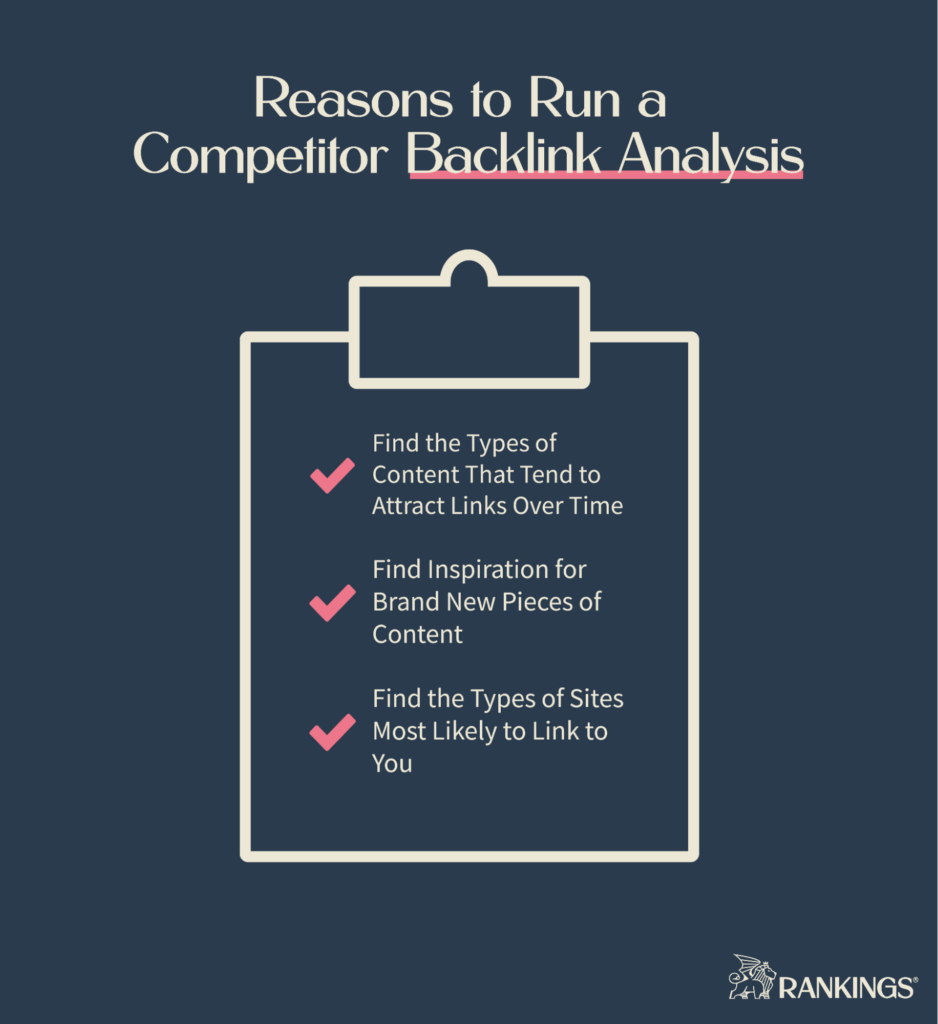
Running a competitor backlink analysis can provide you with valuable insights for growing your law firm’s online presence.

The first benefit it provides is guiding you on the types of content that you create.

The results of this analysis will show you what kind of content attracts links over time.

You may be able to earn similar backlinks for your own firm by creating similar content. Referring websites may be willing to link to you instead of competitors if what you create is better than what was already out there on a given topic.

For example, you may discover that your competitor has an article about a statute that is out of date but has a ton of backlinks.

You might create an updated article and reach out to the referring websites to ask them to link to you instead.

A backlink analysis can also serve as a wellspring of ideas for new content.

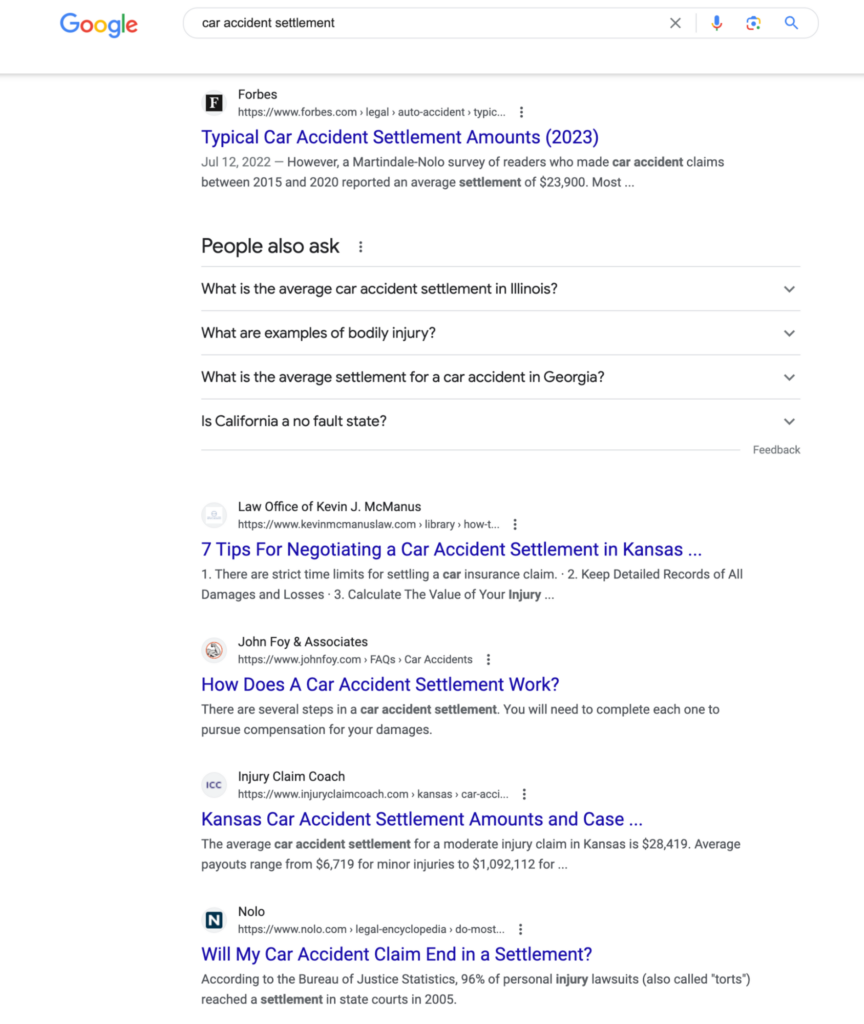
Your analysis could show that a competitor has high-quality links pointing to a study they did on average accident settlement amounts. Looking at that study could inspire you to gather your own data on a related topic, like settlement timelines. You could then reach out to other sites asking them to link to your new linkable asset.

Your analysis will also surface new link building opportunities for your site.

At the end of the process, you’ll have a list of relevant websites that trust your competitors enough to link back to them. Sites that link to your competitors may also be willing to link to you. 

Two Different Approaches to Competitor Backlink Analysis

There are 2 different approaches you can take when you do a competitor backlink analysis:

The first is a targeted, keyword-based approach that looks at the number of links you need to rank for a target term. This approach is best if you have a specific page that you want to rank for a topic.

The second is a broad, domain-based approach that looks at the kinds of content your competitors have which attract the most links. The broad approach is better if you want to know what type of content you can create to attract links.

The one you choose depends on the goals of your SEO campaign.

You can use the same tool for either type of analysis, though.

You’ll need a tool that collects backlink data as well as other SEO metrics like organic traffic and keyword rankings for a variety of websites. We recommend using Ahrefs to get this data. It’s an industry-standard SEO tool with all of the features you need to complete a backlink analysis.

How to Take the Targeted Approach

The targeted approach is an efficient way to determine how many backlinks you need to rank on Google for a keyword.

An example of a good time to use this approach would be if you had a blog post about car accidents that’s stuck on the second page of Google. You could look at the number and quality of links that top competitors for the main keyword have to their pages. This can tell you how many you should plan to build if you want to rank too.

The steps below will guide you through running a keyword-based analysis of your competitors’ backlinks.

1. Find Competitors for Your Target Keyword

All you need to get started is a target keyword and access to Ahrefs.

Go to Ahrefs Keywords Explorer and enter your target keyword to find out which sites rank for it. Then you’ll need to decide which sites are your actual competitors and which are irrelevant. The walkthrough below will guide you through the process.

In the example above, only other law firm websites are relevant competitors to an attorney who wants to rank for the keyword car accident lawyer.

Looking at irrelevant competitors like Forbes or Nolo.com could end up skewing the estimated number of backlinks you need into something unreachable.

Now that you know who your competitors are, you’re ready to start looking at their backlink profiles.

2. Filtering the Backlinks Report

Ahrefs can show you all of the backlinks pointing to each of your competitor’s pages. But not all of those backlinks will be relevant or valuable. You’ll need to filter the list down to get to the real insights.

Use the walkthrough below to see how you can access and filter the backlinks report for your competitor’s pages.

Repeat this process for each of the competitors that you found. You can save yourself some time by opening each competitor’s backlinks report in a new browser tab.

Applying these filters allows you to see only the most impactful backlinks.

A backlink from a website with a low domain rating (DR) or with less than 1000 visitors per month isn’t likely to be something that moves the needle. The same goes for a backlink that isn’t in the referring page’s body copy.

3. Analyzing the Backlinks Reports

Now that you’ve had a look at the types of pages that are pointing to competitors, you’re ready to reverse engineer the kind and number of backlinks you’ll need.

First, calculate the average DR of the referring domains to get a sense of what type of websites you’ll need links from.

Then calculate the average number of backlinks each competitor page has.

For example, you might discover that your competitors have 10 backlinks on average from sites with an average DR of 50. You would need to get the same amount to catch up with them.

But domain rating is on a logarithmic scale.

That means you don’t necessarily need 10 backlinks from DR 50 websites.

You could get 5 links from DR 60 websites instead. Or 2-3 from DR 70 websites. You could get fewer links from higher-quality websites and still outpace your competitors.

With this knowledge, you’re ready to start reaching out to those DR 50+ websites with link building pitches. 

How to Take the Broad Approach

The broad approach takes a different tack.

The goal here isn’t to figure out how many links you’ll need for your content. Instead, this method shows you what kinds of content you can create to attract new links over time. You can also use it to learn what sites link to sites that are the most like yours.

The steps below will guide you through running a keyword-based analysis of your competitors’ backlinks.

1. Find Your Competitors by Similarity

Your competitors on Google are almost never the law firms in your city. The sites that you compete with for backlinks and positions on Google may be firms you’ve never heard of before.

Without a little research, your backlink analysis may miss out on important competitors.

You can use Ahrefs’ Organic Competitor report to help you find the pages that are most similar to your own. Here’s how:

When you know who your competitors are, you’re ready to start looking at the content that attracts the most backlinks to their sites.

2. Find Your Competitor’s Backlinks

After you find your top competitors, you’re ready to start inspecting their backlink profiles.

This step is going to require heavy filtering for you to get actionable insights. Ahrefs will show you every inbound link it can find for each competitor. That could be hundreds of thousands of links for some domains.

Follow the walkthrough below to see how to inspect and filter each competitor’s backlink profile.

Note that the Organic competitors report may list some sites that aren’t exact analogs of yours.

For example, a report for lawyers might have legal directories in the list. Those aren’t relevant when you run a backlinks analysis. If you want an accurate picture of the content you should make, limit the competitors you inspect to other lawyer sites. 

Repeat this process for each of your competitors. 

3. Determine the Types of Content to Create

Now you’re ready to start surveying the types of content on competitors’ sites that attract the most links.

The goal in this step is simple. Find the pages on your competitor’s sites that have attracted links. Then consider whether it makes sense for you to make a similar—but better—page.

The walkthrough below will give you an idea of how this process works.

You may be tempted to export each competitor’s report and place it in a spreadsheet so you can take notes on what’s working for them. Or you may just want to jot down notes and ideas as you look at what your competitors have.

There’s just one thing you must check before you start creating new content like your competitors: link velocity.

Some pages attract links all at once. Then the number of links it accumulates over time starts to dwindle.

This can happen because the page covers something that’s timely or newsworthy. It will almost never be worth emulating by the time you find it.

Look for pages that steadily acquire links over time.

Pages that continue to gain new links month after month are the best topics to cover for your link building campaign. 

Here’s how you can identify these types of topics:

And that’s it. Once you’ve noted down some topics that interest you, you’re ready to start creating content and building links.

What to Do After Analyzing Backlinks

Analyzing your competitors’ backlink profiles may be the end of this particular process, but it’s just the beginning of building new links to your website.

Once you’ve seen what’s working for others, you’re ready to start planning your next steps.

Create Content to Attract Links

The backlink analysis shows you who’s linking to your competitors and what they like to link to. That information should give you an idea of what might work for you. 

Looking at what attracts links to your competitors can help you create a few different types of content.

In the first category, you have content that could replace what your competitors have. You might find that your competitors have an article that’s out of date or inaccurate. This is a golden opportunity for you to create something better and get referring domains to link to you instead.

In the second category, you have the types of content that naturally attract links.

Linkable assets include things like detailed guides, data studies, original research, or unique thought leadership. It takes time to create this kind of content, but great content of this type is easier to pitch to referring domains.

Link Building Outreach

You didn’t spend all this time finding out which sites link to your competitors just for fun.

Now it’s time for you to plan how you’ll reach out to these referring domains.

Some referring domains may accept guest posts. You might reach out to the site owner to ask if they’re interested in letting you write a post for their blog. These sites may let you link back to a relevant page on your own website.

You can also reach out to the referring domains you found in your competitor backlink analysis.

If you’ve created something that improves upon or updates a flaw in a competitor’s page, get in touch with the referring domain’s webmaster. They may be willing to replace the backlink with one that points to your site instead.

The same goes for linkable assets. You can reach out to webmasters, editorial teams, and site owners to ask for a link if you think the content you made fits in with what they tend to publish.

Final Thoughts: Linking Everything Together 

A competitor backlink analysis is a powerful tool for figuring out what’s working for competitors that will translate to your own site.

It can help you figure out what type of content tends to get links. It’s great for finding the sites that like to link to sites just like yours. It can even inspire you to create new content.

But a backlink analysis is just one tool for starting an attorney’s link building campaign.

Creating new linkable content and reaching out to website owners is unfamiliar territory for most lawyers. And even doing the backlink analysis can be an uphill battle. The best choice for most law firms is to work with a law firm SEO expert to get real results.

At Rankings.io, we help elite personal injury firms get more high-value cases through search engine optimization. If you want to increase your backlinks, create great content, and bring in more leads, contact us today.

The post How to Run a Competitor Backlink Analysis: Two Different Approaches + Interactive Guides appeared first on Rankings.

How to Get Google to Index Your Website

Search engines can’t show people your website if they don’t know that it exists.

If you want your website to show up on Google and other search engines, you need to get it indexed first. The best way to do that is by submitting your site to them directly. Telling Google and Bing where to find your website just takes a few steps, and it allows you to compete for valuable organic traffic.

Read on to see how you can get Google to index your site and what to do if it still doesn’t show up in search after you submit it.

Why Do I Need to Submit My Website to Search Engines?

Websites don’t just appear on search engines like Google and Bing.

Search engines use special programs, known as bots or web crawlers, to explore the internet. These bots compile lists of all the sites they find and place them in search engines’ indices. They crawl the internet using links from pages that are already in the index to discover and catalog new ones.

But the bots may never find your site if it doesn’t have any links from pages in the index.

Websites and pages that aren’t in Google’s index will not appear in the search results. That’s a massive missed opportunity for bringing potential clients to your website.

The good news is that search engines know that this is a problem. They allow website owners to manually submit their websites and request indexing. All you need to do is tell Google that your site exists, and it will send out the bots to crawl your site.

Besides the fact that a manual submission adds your site to Google’s index, there are a few other reasons to do it.

First, it’s easy.

The process of submitting a site to a search engine is simple. And the benefits of being in the index and appearing in search far outweigh waiting for bots to find your site by chance.

Second, it speeds up the process of getting your site ranking for important keywords.

Bots might not discover everything on your site on their own. When you manually submit your website, it becomes easier for major platforms to start cataloging the pages on your site and pairing them with keywords. Your submission also helps search engines with details about your site that they may not pick up otherwise, like the importance of each page.

Third, you get more useful data by being proactive.

You have to use free tools like Google Search Console and Bing Webmaster Tools to submit your site. Both of these platforms have useful dashboards that provide you with data on your site’s performance in search results.

These reasons aren’t to say that submitting your site is an SEO silver bullet.

Your website isn’t going to rank for every keyword you want the minute it’s indexed. It takes time for most sites to appear on the first page for primary search terms. And it can take months to reach the first page in intensely competitive niches, like SEO for lawyers.

But indexing your is the first step to reaping the benefits of ranking in search.

If you’ve never requested indexing for a website before, the steps below will walk you through the process.

1. Find Your Website’s Sitemap

The first step in getting search engines to crawl your website is telling them that you exist. You can do this by submitting a special file, called a sitemap, to them. When you submit this file to Google and Bing, they’ll begin their own crawling and indexing processes.

If you already know where your sitemap is, you can copy its URL and move on to the next steps.

If you don’t know if you have a sitemap or you don’t know where it is, the methods below will walk you through what you need to do to find it.

What is an XML Sitemap?

An XML sitemap is a file hosted on your website that lists all of your live page URLs.

You can think of it as a roadmap for search engines to use when they come to your website. They’re written in a format (eXtensible Markup Language) that’s easy for web crawlers to read and understand. Your sitemap gives crawlers a starting point for navigating and indexing your site instead of crawling random links.

There are three different methods you can use to find your sitemap.

Method 1: Check yourdomain.com/sitemap.xml

The simplest method is to look in the most obvious place.

Most websites have their sitemap on a URL that follows the root domain. All that means is if your site is example.com, then your sitemap is most likely located at example.com/sitemap.xml.

Here’s how to check if that’s where your sitemap is located:

If you don’t find your sitemap using this method, it doesn’t mean it doesn’t exist. It could be on an unusual URL.

Method 2: Check Your robots.txt File

Robots.txt is another file on your website that gives instructions to web crawlers. Instead of being a roadmap, though, these files tell crawlers what pages they should and should not visit.

Many robots.txt files will list the sitemap in addition to setting boundaries for crawlers. Here’s how you can check yours:

Robots.txt files don’t always list the location of a sitemap. If you don’t see your sitemap in this file, there’s another method you can use.

Method 3: Use Advanced Search Operators

If the last two methods didn’t turn up your sitemap, it might be because it doesn’t follow the standard naming convention.

Google’s advanced search operators may be able to help you find sitemaps with unconventional names. The walkthrough below demonstrates how to use this method.

This advanced search operator below tells Google to show you all pages on example.com with the word “sitemap” in the URL.

site:example.com inurl:sitemap

If that doesn’t work, “sitemap” may not be in the filename at all. You can use the following advanced search operator to tell Google to show you all of the XML files on your site instead.

site:example.com ext:xml

Your website may not have a sitemap if you cannot find it through any of these three methods. You’ll need to create a new sitemap before you can move on to the next steps.

If your website is on WordPress, there are plenty of plugin options available that can generate sitemaps for you. Some options include SEOPress, Rank Math, or Yoast SEO.

Other content management systems, like Webflow, have built-in sitemap generators.

Finding your sitemap is usually the hardest part of requesting indexing. Once you’ve found your sitemap, submitting it to the major search engines is a breeze.

2. Submit Your Website to Google

You’ll need to use Google Search Console to request a site crawl from Google.

Go to your website’s Google Search Console property and then select the Sitemaps menu from the sidebar. Then enter your sitemap to request indexing. Use the walkthrough below to see how this process works.

If you haven’t set up Google Search Console for your website, you’ll need to create an account first. You’ll need to log into the tool here with a Gmail account. Then you’ll need to verify that you own the website and set up a new property following this guide from Google.

How to Submit Multiple Sitemaps to Google

Some websites will have more than one sitemap. For example, a lawyer may have separate sitemaps for their blog posts and practice area pages.

Google Search Console makes submitting multiple sitemaps easy. All you need to do is follow the process outlined in the last walkthrough for each of your sitemap URLs.

How to Submit a Single Web Page to Google

Google will schedule your site for a crawl as soon as you’ve submitted the sitemap to Search Console. It will also schedule your site for crawling at regular intervals.

But if you publish a new page or post between crawls, you’ll want to make sure it lands in Google’s index too.

You can manually submit new pages through Google Search Console by entering the single URLs into the search bar at the top of the tool. Here’s a walkthrough for requesting a crawl for a single page:

Submitting URLs this way is perfect when you have one or two new pages that you want Google to index. It’s not a solution for getting your whole site indexed, though.

It’s just a matter of time until Google can crawl and index your site after you submit your sitemap through Search Console. In the meantime, you can request a crawl from other search engines.

3. Submit Your Website to Bing

Submitting a website to Bing is a lot like submitting a sitemap to Google. You’ll just need to use Bing Webmaster Tools instead of Google Search Console.

If you already have a Bing Webmaster Tools account and you’ve verified that you own the website, you can:

  1. Log into Bing Webmaster Tools
  2. Select the Sitemaps option from the lefthand sidebar
  3. Click on the Submit Sitemap button
  4. Enter your sitemap URL into the popup dialog box that appears on your screen
  5. Click Submit

You’ll need to repeat this process for each of your sitemaps. Bing will then schedule a crawl of your website.

4. Submit Your Website to Yahoo

Submitting to Yahoo is the easiest of them all because there’s nothing for you to do.

Bing is the search engine that powers Yahoo. Anything that Bing indexes will show up in Yahoo search results.

How to Check if Google Has Indexed Your Website

Advanced search operators can show you if Google has indexed a new page on your site.

All you need to do is copy the URL that you want to check and use the site: search operator in Google. Here’s a walkthrough with an example:

It can take anywhere from a few minutes to several days for Google to index a new page. Don’t worry if the advanced search doesn’t turn anything up right away. You can check back with the same method in a few days to see if the page has been indexed yet.

Note: the site: search operator works on Bing, too. You can use the same method to see if your page is in Microsoft’s index.

You can also check in Google Search Console to see all the pages on your site that it discovered while crawling.

What’s useful here is that the tool can show you both indexed pages and all the pages Google couldn’t index. Follow this walkthrough to see which pages are indexed in Google Serch Console:

Search Console’s page indexing report is a helpful tool for finding potential indexing issues with your site in between any technical SEO audits. But if you see a single page or set of pages that Google can’t index, you may need to do a deep dive.

What to Check if Your Website Isn’t Indexed

There are three common issues to check for if Google can’t index your website or a page on your website.

Some Web Pages are Flagged as noindex

Google will not index pages that have the noindex meta tag in their HTML code.

This is a useful tag if you don’t want a page to show up on Google. For example, an appointment confirmation page that shows up after a visitor submits a free consultation form doesn’t need to be in the search results.

But these tags are a real problem if you want a page to appear in search.

The easiest way to check for this issue on the page level is to use DevTools in the Chrome browser. Go to the page that you want to inspect, and then follow the walkthrough below.

You’ll need to remove the noindex tag from the header of each page with this issue. Then you can go to Google Search Console to request indexing for each one.

Your robots.txt File Is Blocking Search Engines From the Site

If you see that your entire site, or large sections of it, can’t be indexed, you may have an issue with your robots.txt file.

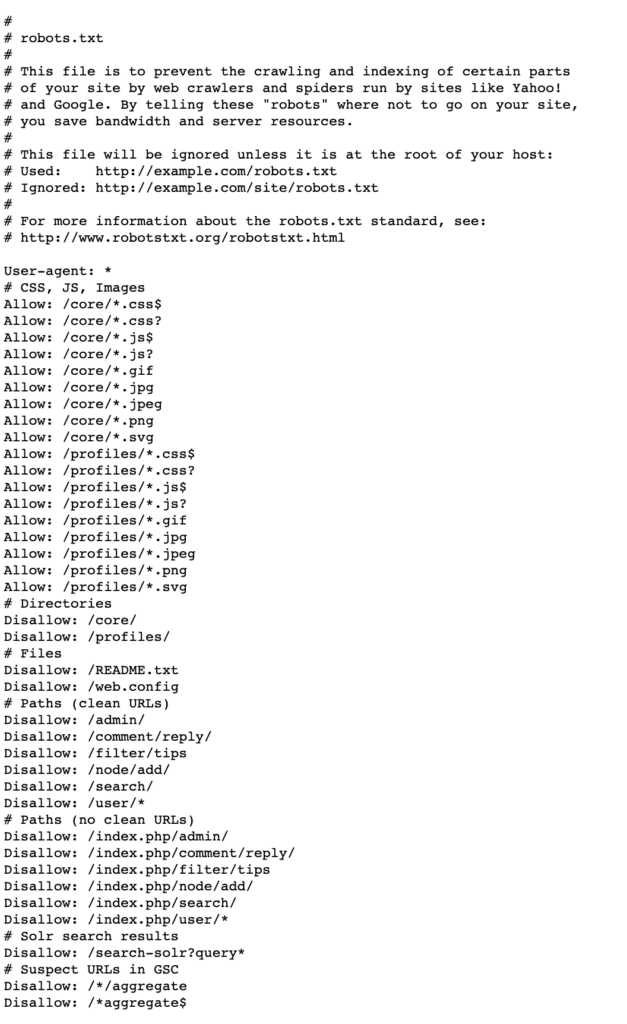
Go to your robots.txt file and check that your site isn’t blocking Googlebot. Robots.txt instructions that block Googlebot look like this:

User-agent: Googlebot
Disallow: /

The code above tells Google that it should not crawl any of the subfolders on your site.

You’ll need to go to your SEO plugin (Yoast, SEOPress, Rank Math, etc.) to remove this from your robots.txt file if you’re on WordPress. If you’re on Webflow, the options to change this are under the SEO tab.

Then you can resubmit your sitemap to Google Search Console for indexing.

Your .htaccess File Is Blocking Search Engines From the Site

Sites that run on an Apache-based server have a file called .htaccess that gives web admins control over various server settings. An issue with this file can cause indexing issues. You’ll need access to the server your website lives on to check and adjust this file.

If you can get to the .htaccess file, look for the following code:

Header set X-Robots-Tag "noindex, nofollow"

Removing the noindex and nofollow parts will allow Google and other search engines to access your site.

An issue with your .htaccess file is the most technical of the three common indexing issues. If you feel that it’s outside of your skillset, it may be time to contact someone with a technical SEO background.

What if Your Website Is Indexed but Isn’t Ranking?

Just because your site is in Google’s index does not mean it will rank.

Getting your site indexed is important. Making sure that Google can index your pages is a prerequisite for appearing in the search results. These are the table stakes to getting organic search rankings.

But ranking well on Google takes more than just indexing.

One of the biggest ranking factors is whether your website content matches the searcher’s intent. Google’s goal is to provide people with results that answer their questions and satisfy their needs.

You stand a better chance of ranking when you create content that matches the intent for each keyword you target. Performing keyword research can help you find high value keywords to create content around. It can also point you in the right direction for each keyword’s intent.

Understanding on page optimization can help you take the content you already have and improve it for people and search engines.

Finally, link building activities can help your site attract links from relevant, authoritative sources. Google sees links as endorsements of your site. Authority from relevant sites passes to your own and can improve your rankings.

Wrapping Up

Getting your website indexed by search engines is vital if you want to grow your organic traffic.

Indexing is the first step to getting your website in front of potential clients. If your website isn’t in Google’s index, people will not find you in the search results.

The best way to get your site indexed is by manually submitting your site to search engines.

But getting your site indexed does not mean you’ll start ranking for keywords right away. Getting your website indexed is your ticket to enter the race. Once in the race, continuous SEO efforts can help you win it.

To learn more about what your law firm can do to win that race, check out our guide to SEO for lawyers.

The post How to Get Google to Index Your Website appeared first on Rankings.

How to Do a Content Audit (with Interactive Guides + Template)

Content audits can be a game changer for your website.

These SEO tools let you see what’s working, what’s not, and where you can make changes to get better results. By following our step-by-step guide, you’ll learn how to run your own audit and make smart choices for your content.

To make it even easier, you can download our free, easy-to-use Google Sheets template to streamline the process.

What is a Content Audit?

A content audit is like a health check-up for your website.

This specialized type of SEO audit looks at a website’s existing content to assess its strengths and weaknesses. The goal with one of these audits is to find opportunities to align your existing content with your business goals and the needs of your audience.

During the content audit process, you’ll review all of your site’s live content.

In the end, you’ll have a list of opportunities to update, move, or delete content to improve your overall performance on Google.

Why Run a Content Audit?

A content audit is a useful way to discover how your current content is performing.

With a content audit, you can learn:

  • Which pages on your site are driving the most traffic, links, and conversions
  • Which pages may have room for improvement
  • Which pages don’t provide your business with any value at all

This knowledge can guide your content tactics moving forward.

A content audit can’t show you things like technical or user experience issues. But it can show you when a page that should be valuable has a problem. Highlighting pages that don’t perform well can point you in the right direction to find and diagnose deeper issues.

These audits can also help you fight against content decay.

Audience preferences and search intent can change rapidly. This can lead to your content performance decaying over time. You might discover content that’s no longer relevant, accurate, or engaging for your audience.

Regular audits can help you stay on top of these changes and avoid losing ground.

It can also help you align the content on your site with your business goals. A content audit is a must if you‘ve published a lot of content in the past without a plan. The same is true if your business recently changed direction.

You may discover pages on your site that don’t make any sense for your business.

A content audit collects all of these issues—content quality, business relevance, and page experience—into one report. It’s an easy way to find your issues and plan a way to resolve them.

And when you resolve them, you set yourself up for a site that performs better than ever for both search engines and people.

Most content audits only look at the number of visitors coming to each page on your site—both from search engines and all sources. They then look at how many backlinks each page has.

This can give you some sense of how well each page performs, but it leaves out a critical factor—conversion events.

A page that only has one backlink and gets 100 visitors per year may not seem valuable. But if 1% of those visitors convert and the value of the conversion is high enough, then it’s tough to say that the page is a low performer.

That’s why we built our content audit template to consider conversion rates in addition to the standard performance metrics.

What You Need to Get Started

Gathering the data for your site audit requires access to a few different tools.

First, you need a tool that can crawl all of the live pages on your site.

We built our content audit template to work with data from Ahrefs. But if you have the technical skill and time to reconfigure data, you could use a crawler like Screaming Frog.

Next, you’ll need access to your website’s Google Analytics account.

Our template uses data from Google Analytics 4. If you haven’t configured your site for GA4 yet, you will need to upgrade to it. You’ll also need to have your conversion events and goals configured in GA4.

Finally, you’ll need a tool to collect data on all the backlinks pointing to pages on your site. This is where Ahrefs will come in handy again.

1. Make a Copy of Our Free Content Audit Template

Before you start grabbing all the data you can get your hands on, you need a place to put it.

To begin, click here to make a copy of our content audit template. You can follow the walkthrough below to see how to make a copy and set it up.

The template will automatically transform the data you import into recommendations for your site. By the end of the data-gathering steps, you’ll just need to look at the Master tab to find all the recommendations.

But that’s getting ahead of ourselves. First, you need to start exporting data from your tools.

2. Get a List of the Pages on Your Site

The first dataset you need is a list of URLs on your website.

One of the easiest ways to get this data is by using Ahrefs Site Audit, especially if you already use it for your other website audits.

Go to Ahrefs, find the Site Audit tool, and follow the walkthrough below to export your page data.

Once you’ve exported the data from Ahrefs, you can import it to the Ahrefs Site Audit tab of your content audit sheet. The walkthrough below will show you how to import the site data.

Making sure that you add the data to the right tab in cell A1 is critical. Trying to add the data to the sheet in any other way could interfere with the formulas in the Master tab.

You’ll follow the same steps outlined in the walkthrough above to import data in the next four steps.

3. Import Page Traffic Data from Google Analytics

The next dataset to add to your audit has to do with the traffic that your site gets. You need to get a list of all the pages on your site that get visitors. You’ll also want this list broken out so you can tell whether the visitors to each page found the page through organic search.

To do that, you’ll need to leave Ahrefs and go to your site’s Google Analytics account.

The walkthrough below will show you how to pull page-level traffic data from GA4.

Once you import that data into the template, you’ll see which pieces of content get the most traffic from all sources, the most traffic from organic sources, and no traffic at all.

But looking only at the traffic each page gets won’t give you a complete picture of their performance or potential.

You have to dig a bit deeper to get that.

4. Get Landing Page Conversion Data from Google Analytics

The next thing to grab is conversion data for each page on your site.

Many SEOs leave this part out of their content audit framework, choosing to focus on traffic and links. But leaving conversion data out of your audit means you lose valuable insights.

For example, a lawyer could have a blog post or service page on their site for people who have been injured in train accidents. That page may not get a lot of traffic in 12 months. It probably isn’t a link magnet, either.

But taking on a train accident case is worth a lot of money to many personal injury attorneys.

If the page leads to the attorney getting just a few new train accident cases, it may be worth keeping.

Adding conversion data to your audit helps you justify why an “underperforming” page should stay on your website.

You’ll need to use the Landing Page report in Google Analytics to get this conversion data. Here’s how:

Make sure to check the conversion events in your report before you export it. You may have set your conversion events up to track things like dwell time or scroll depth. Those kinds of events aren’t valuable for a content audit.

Instead, you want to export conversion events for goals like calls, form submissions, purchases, or appointments booked.

5. Pull Attribution Data from the Model Comparison Tool in Google Analytics

There’s one other type of conversion data to export from Google Analytics before you move on.

Attribution data measures indirect conversions, while the previous step measures direct conversions.

Sometimes people find a page through one medium, explore the site for a while, and then leave. Later, they return to the site through a different medium and convert.

The last page gets the credit for the conversion in a standard conversion model.

But what if someone finds your site through Google, bookmarks the page, and then comes back to the site days later through a direct visit?

You can attribute at least a small part of that conversion to the visitor’s first interaction with your brand through their Google search.

The Model Comparison Tool in Google Analytics makes finding this first-touch data simple. Here’s how you can find and export this information for your content audit:

Once you’ve added the attribution data to your content audit sheet, you can move on from Google Analytics.

6. Gather Backlink Data from Ahrefs

The final dataset you will need to find is the number of backlinks pointing to each page.

You’ll need to return to Ahrefs and use their Best by Links report. Follow the walkthrough below to find this type of data.

That’s the last piece of data you’ll need to capture for your content audit. Now, it’s time for you to decide what you’ll do with it.

7. Review the Audit Data and Plan Your Actions

Now that all of the data is in the sheet, the Master tab should have a recommendation for every live page on your site. The content audit sheet will give each page one of four different recommended actions:

  • Leave As-Is
  • Redirect or Update
  • Delete
  • Manually Review

But the recommendations that the sheet gives you aren’t final. The content audit template can only provide recommendations based on the metrics it can see. There may be other elements at play that the metrics don’t show right away.

It’s ultimately up to you to decide what the final action should be.

Here’s an example of that decision-making process in action:

Before you decide to redirect or delete a page for poor performance, there are a few other things to consider. A valuable page might have bad metrics but be valuable for other reasons.

Here are some questions to ask yourself in these situations:

  • When was the page published? New pages can sometimes be marked for deletion if they haven’t had the chance to gain traffic.
  • Does the page serve a role in the site architecture? Category and author pages don’t generate traffic or links but are essential for the site structure and EEAT.
  • Do you use the page for other parts of your marketing? Advertising or social media landing pages won’t get a lot of organic traffic, but they still serve a purpose elsewhere.
  • Is the page a part of the customer journey? Some informational pages do not convert but push visitors further down the funnel.

Having conversion data in your content audit can alleviate a lot of the stress in determining the value of a page. By looking at the number of conversions that a page was responsible for, you can tell whether it’s worth keeping whether or not it’s a high-traffic page.

It can also show you clear opportunities for improvement.

Pages with low traffic but high conversion rates may need to be updated. Running a competitor keyword gap report for that page may surface some content optimization options for you.

Reviewing each page and setting your next actions is the final step in any content audit. You’re now ready to take your decisions and put them into action.

How Often Should You Run a Content Audit?

Your content audit frequency depends on various factors. The size of your website, the rate at which you produce new content, and the industry you operate in all play a role. A general guideline is to conduct a full content audit at least once a year.

But content audits are only one part of keeping your content fresh, relevant, and valuable to your audience.

Content audits can show you pages that are decaying in terms of traffic and conversions. They can help you spot the pages that need to be deleted or updated. But they can’t always tell you why a page needs a specific action.

We recommend running your content audit in tandem with other tools.

Technical SEO audits, holistic website audits, and specialized SEO audits can help you uncover the underlying issues that cause bad performance. They’ll also help you with things a content audit can’t do, like finding broken internal links, files, and page descriptions.

By running these alongside your content audit, you may discover that a page your content audit recommended for deletion only has a minor technical issue to resolve. Or you may see that the performance issue is tied to poor keyword targeting.

Final Thoughts

Content audits are useful for discovering what’s working and what’s not on your website.

By blending traffic, link, and conversion data, you can discover the biggest opportunities for updates to your website. Using the steps and template found in this guide, you’re well on your way to finding new ways to improve your site.

Analyzing your website’s pages can take a lot of time. And if you pair your content audit with any other recommended SEO audit, that investment can increase exponentially.

While these audits are valuable, many business owners prefer to outsource the work to an SEO expert.

At Rankings.io, we serve elite personal injury law firms. A content audit may be a valuable way to improve your law firm website, but you may not have the time in your schedule to dig through page performance metrics. If working with the premier expert in law firm SEO sounds like the best solution for you, don’t hesitate to contact us today.

The post How to Do a Content Audit (with Interactive Guides + Template) appeared first on Rankings.

How to Do Competitor Keyword Research: An Interactive Guide

Competitor keyword research is the process of identifying and analyzing the keywords that your competitors rank for in search engine results.

It’s an important process that can help you learn a lot about what it takes for your own site to rank. Knowing what organic keywords your competitors rank for can give you insights into the market as a whole, the tactics they use to attract customers, and gaps in your content.

But competitor keyword research doesn’t have to be difficult.

Use the interactive guides in this article to get the most out of your competitor research—even if you’ve never done it before.

When Should You Do Competitor Keyword Research?

You can do competitor keyword research on its own or as a part of a complete keyword research process. Alone, it isn’t a replacement for comprehensive keyword research. But it can help you learn where your competitors are winning and how you may catch up with them.

Competitor keyword research comes in handy at a few particular times.

First, It’s a critical component any time you develop a new SEO campaign. This is true whether it’s the first campaign for your business or if your business is launching a new service or product.

Looking at your competition’s rankings gives you insight into what is working in your industry. It can help you understand the market landscape, the relevant terms, and potential opportunities.

Competitor keyword research is also helpful when you want to update or expand content. Researching your competitors can show you what terms they’re using and how they’re structuring their content around those terms.

Finally, it’s helpful when your organic traffic plateaus or declines.

A dip in organic traffic is sometimes a sign that search intent has shifted for some terms you used to rank for. A competitive keyword analysis can provide fresh insights into tactics the competition uses to adjust to algorithm changes.

No matter what your reasons is for doing competitor keyword research, the process is almost always the same. The steps found in the following sections will show you how you can do it yourself.

Find Your Competitors

It may sound obvious, but the first step in competitor keyword research is identifying your online competitors.

That may not be as straightforward as it sounds.

You might think of the firm across town as your primary competitor. After all, you are competing with them for the same clients. But they may not always be the best benchmark for your keyword research.

Unless your local competitor has invested in SEO, they may not be your competitor on Google.

If you’re a software company, this probably makes sense. You’re an international brand serving an international audience of searchers. But many businesses with a local or regional component, such as law firms, miss this critical point.

Your most relevant competitors on Google often extend beyond your local area.

When you do competitor research, look for sites that target keywords with national appeal rather than just local terms. These sites often rank for higher-value keywords than the ones that only focus on local terms. They also tend to still rank highly even when Google localizes its search results.

A quick way to unearth your competitors is by using advanced search operators on Google.

The “related:” advanced search operator shows you other pages that Google thinks are like your own. It’s like asking Google to find pages in the same ‘category’ as the one you specify.

The walkthrough below will show you how to use this type of search to find some competitors.

This type of advanced search is a useful place to start if you have a big site.

Google may not always be able to compare your site to others if yours is small or new. The search engine may not have enough information on a small site to serve a list of related pages.

You could do a “related:” search for a leader in your industry to find their competitors. The problem with that is your competitor’s competitors aren’t always the same as yours. That could make your keyword research less accurate at the end of the process.

A more reliable way to find your competitors is by using a tool that compares the keywords you rank for versus sites with a similar keyword profile.

There are a few different SEO and keyword research tools that can surface competitors for you this way. We recommend using Ahrefs for this process. It’s an industry-standard tool for SEOs and has other useful tools that will come in handy for other parts of keyword research.

If you already have an Ahrefs account, go to the Site Explorer account for your domain. Then follow the steps outlined below.

The organic competitors report will show you some of the most closely related sites to your own by keyword overlap.

But some valuable insights may be missing.

For example, Ahrefs only showed other law firm websites as competitors for forthepeople.com. Law firm websites aren’t the only type of site that ranks for legal keywords. It’s worth it to look around for those sites too.

You can find more competitors by looking at which domains get the most traffic from specific keywords.

First, come up with some broad keyword ideas for your industry. For example, a lawyer who wants to get more car accident cases may use the following high-level terms to see which competitors get the most site visitors from them:

  • car accident lawyer
  • car accident lawyers
  • car accident attorney
  • car accident attorneys
  • car accident settlement

Then, you can enter your high-level terms into Ahrefs Keywords Explorer. The walkthrough below shows how to use Ahrefs to learn which sites get the most traffic from your chosen terms.

You can create a solid list of competitors by using each of these methods.

For example, a lawyer may choose some of the law firm websites uncovered in the organic competitors report plus Nolo.com from the traffic share by keywords report.

Once you have your list of competitors together, you’re ready to move on to finding the keywords they rank for.

Run a Content Gap Report

Finding your competitor’s keywords is far easier than figuring out which sites to investigate.

The most efficient way to both find your competitor’s keywords and compare each one to your site is by running a content gap analysis. Ahrefs has a built-in content gap report that can help you find this information quickly. Follow the walkthrough below to get started.

Using this report, it’s easy to see instances where all of your competitors are ranking for a topic but your site is nowhere to be found. Things like that are a pretty clear indication that your site should probably cover the same topic.

With your filtered and exported list of keywords in hand, you can start assessing each keyword to see if it makes sense as a topic to cover on your site.

Assess the Keywords You Discovered

Not every keyword that your competitors rank for is going to be valuable to you.

Before you start creating content based on any keyword gaps, you’ll need to assess each keyword’s viability. There are three important things to assess each keyword for:

  • Business value and topical relevance: Is the keyword relevant to your business and site?
  • Your ability to rank for the keyword: Do the keywords metrics (such as search volume, traffic potential, keyword difficulty, and backlinks) indicate that your site could rank for the term?
  • The search intent for the topic: What are people looking for when they search for the topic? Can you create a piece of content that satisfies the intent?

You can assess any keyword opportunity from your content gap report that you think is worth targeting through this lens. Ahrefs Keywords Explorer tool can help you find the metrics for your potential target keyword. It can also help you figure out what the search intent is and whether the term has business value.

Start by going to Ahrefs Keywords Explorer. Then enter your keyword. The walkthrough below will show you how to assess that keyword.

One other thing to consider as you assess keywords is similarity. Google groups related keywords together into topic clusters. Two keywords that might seem different on the surface may actually belong to the same.

This may seem like a small detail, but ignoring it could cost your site’s performance.

When you try to create two pages or blog posts targeting two keywords that are part of the same topic cluster, you could create a cannibalization issue. When Google’s algorithm sees two different pages about the same thing, it can’t decide which one to rank. In most cases, neither page can achieve a first-page ranking.

When you see two keywords that might be the same topic, you should investigate their similarity before creating a new page.

You can check the similarity by entering both terms into Google in separate tabs. Then you can compare the search engine results pages (SERPs) to see if the results are the same. But this can be an incredibly tedious process.

Instead, you can use the SERP similarity feature in Ahrefs following the walkthrough below.

After confirming that two relevant keywords actually belong to different topics, you’re ready to start creating a new piece of content.

Running Page-Level Competitor Gaps

Competitor keyword research isn’t limited to creating new pages. It’s also useful for optimizing the content on your site.

For example, imagine that you’re a personal injury lawyer with a page about typical payouts for an injury claim. You published the page a while ago, but it never took off. It currently ranks toward the bottom of the first page of organic search results.

You can use a competitor gap report to see if your page may be missing something that top-ranking competitors nailed.

First, you need to find the top competitors for your target term.

Note down the URLs for the competitor pages and your page’s URL. Once you’ve done that, follow the walkthrough below to run your page-level competitor gap report.

The competitor keyword gap data that you find may help you identify gaps in that specific page. Refreshing your page to fill those gaps could improve your rankings.

Closing the Gap with Competitor Keyword Research

Competitor keyword research is an important part of any keyword research process. It can help you understand what your competitors are doing to reach your ideal clients. It’s a powerful tool for both creating new content and updating existing pages.

But it isn’t the silver bullet for SEO success.

Knowing your competitor’s tactics is just the beginning. You have to understand how to create content that meets your audience’s needs. And you have to know what it takes to maintain an optimized website.

If you need help with this, consider reaching out to an SEO agency.

At Rankings.io, we help elite attorneys capture their market through search engine optimization. We know what it takes to help your firm not just match your competition but eclipse them. Talk to us today to see how we can take your law firm to the next level.

The post How to Do Competitor Keyword Research: An Interactive Guide appeared first on Rankings.

How to Conduct a Technical SEO Audit: An Interactive Guide

Making sure that your website is technically sound is a key part of winning organic traffic from search engines.

Technical SEO audits help you stay on top of everything under the hood of your website. Regular technical checks ensure that your website provides the best experience possible for both visitors and search engines.

An audit process can help you uncover everything from simple issues like broken images to major problems such as blocking Google from visiting your site.

If you’ve never run a technical audit on your site, it may be time to do so. The interactive walkthroughs in this guide will get you on the right track in no time.

When Should You Do a Technical Audit?

Regular technical SEO audits are important to any search engine optimization campaign. It’s an essential part of website maintenance that’s especially useful in three different scenarios.

First is any time you launch a new website or redesign your old site.

A technical audit can help ensure the new site is optimized from the start. It can also ensure that the redesign hasn’t introduced any new issues.

The second common time to run a technical audit is after major updates to search engine algorithms. 

Algorithm updates can change what search engines prioritize. Your site might need adjustments to stay in tune.

The third scenario that calls for a technical audit is if your site experiences a significant drop in traffic. Small technical issues can cause a ripple effect that impacts your performance in organic search. A technical audit can help you uncover these issues so you can act on them quickly.

A general rule of thumb is to perform a technical SEO audit at least once a year outside of those scenarios. Large sites and sites that post a lot of content may need more frequent auditing.

Crawl Your Website

All technical SEO audits begin with a website crawl.

You have to account for all the pages on your website before you can start finding any potential issues with it. Using a web crawler bot, you can get a full list of all the pages and files on your site. These tools navigate your site like a search engine’s crawler, so if your tool runs into problems along the way, it’s likely Google’s search bot had trouble with it too.

You could use a few different web crawlers, such as Screaming Frog and SiteBulb, but we recommend using Ahrefs for your technical audit.

Ahrefs’ Site Audit tool does a little more than crawl your website. It also categorizes the issues and provides some direction on how to fix them. This makes it easy to drill down into the most pressing problems on your site.

You can also instruct Ahrefs to crawl your site on a regular basis, meaning you can track issues as you resolve them.

To get started, create an Ahrefs account, then go to the Site Audit tool. The walkthrough below will show you how to set up your first site crawl with the tool.

Next, you’ll need to configure your crawl settings.

You’ll need to finalize a few more settings to complete the Site Audit setup.

Using Ahrefs as your technical SEO audit tool has a few additional benefits. The Site Audit tool is also great for general website audits and more content-focused SEO audits. Plus, you get access to the Ahrefs suite of tools for things like keyword research.

A website crawl can take a long time, depending on the size of your website. Fortunately, there are some simple technical issues you can check for while you wait for your crawl to finish. 

Check for Crawlability and Indexability Issues

The first place to check is to see if search engines can even access your website.

If Google can’t access pages on your website, then it won’t be able to index them. If it can’t index the pages, they won’t appear in the search results. Checking your robots.txt file is a simple way to know if your site faces this type of crawl error.

Your robots.txt file is a set of instructs for search engine crawlers telling them which pages or sections of the site they should or shouldn’t visit for indexing.

All you need to do to check yours is type in your domain and add /robots.txt to the end, like this:

  • example.com/robots.txt

 For example, here’s the robots.txt file for the personal injury lawyer website forthepeople.com:

This file gives search engine crawlers clear instructions on what subfolders they can access and which ones they should not go to.

Some developers will set the robots.txt file to disallow search engines from crawling a new website while it’s under construction. If they forget to update the file once the site goes live, then Google won’t be able to index it.

An error like this will show up in your robots.txt file if that’s the case:

User-agent: *
Disallow: /

These instructions tell web crawlers that they can visit your homepage but nothing else on your site. All it takes is a simple tweak to your robots.txt file to remove these instructions, and Google can now access your site.

While you’re looking at your robots.txt file, check that there aren’t any other disallowed areas that you actually want search engines to access.

Once you know that Google can reach your site, you can check which pages are in its index.

Google Search Console is the easiest place to get an overview of which pages on your site are indexed. If you already have the tool set up, you can follow the walkthrough below to see how to use Search Console’s indexing reports.

There will always be some pages on your site that you don’t want indexed. But it can be a big problem if a page you want to rank has a “noindex” tag. Search Console can help you find some of those issues but may not provide enough context to fix them.

That’s where the Ahrefs Site Audit you ran will come in handy.

Ahrefs Site Audit categorizes indexability issues and provides helpful pointers for fixing them. Here’s how you can use Site Audit’s Indexability report to find and export potential errors on your site:

Throughout your technical audit, we recommend exporting issues from Ahrefs to act on them later. It’s better to note all the problems to fix in a Google Sheet or Excel. You can prioritize the issues later to fix the highest-impact items first.

There’s one other thing to check in Site Audit’s Indexability report before moving on.

Site Audit can also help you find specific pages on your site that are blocked by your robots.txt file. Even though you checked your robots file, there could be some pages in a blocked subfolder that you want Google to access. Here’s how to use the Indexability report to find those pages:

Ahrefs web crawler can only find these blocked pages through links pointing at them on pages the tool can access. For large sites, like the one in the walkthrough, this can translate to thousands of links pointing to an inaccessible page. Once you place your export in a sheet, you can weed down the list to only show the unique blocked pages.

There’s just one more indexability-related group of issues to look for at this point in your technical audit.

Your XML sitemap acts as a roadmap for the pages on your website. Many web crawlers, like Google, use it as an entry point to your site because it makes it easier for them to navigate and index pages. Issues in your sitemap make it harder for Google to index pages and decide what to rank.

You can use Ahrefs Site Audit to find these issues so you can resolve them later. The walkthrough below will show you how to find them.

Sitemap errors can be as varied as things like redirect issues, security issues, or “noindex” pages wasting space on the list and confusing Google. Most of the time, fixing these problems takes less time than finding them.

Now that you’ve identified potential issues with crawling and indexing, you’re ready to move on to the next phase of your technical audit.

Check for Technical Issues in On-Page Elements

Missing on-page elements, duplicate content issues, and issues with multilingual content can have a significant impact on a site’s ability to rank on Google. Your technical audit should include checks for the first two ranking factors. If your site has content in more than one language, then you’ll want to do all three.

The first place to start in this part of your audit is by looking for issues with your on-page elements.

Pages without things like a title tag or H1 tag are missing the opportunity to give Google valuable context about the page. This can lead to Google ranking the page lower than competitors. Pages with too many H1 tags or titles that are too long can also suffer the same fate.

These problems are easy to fix. The challenge sometimes lies in finding them.

Here’s how you can do that using your Site Audit report:

Duplicate content on your site is another common problem that can harm your search rankings.

When Google sees two pages that are nearly identical, it can have trouble deciding which one to rank for a given query. Setting up a canonical tag on one page is a solution that tells Google to prefer one page over another.

Ahrefs Site Audit can help you find duplicate content as well as potential issues with existing canonical tags. Here’s how:

If you have content in more than one language on your site, the next part of the technical audit will be very important.

Hreflang is an HTML attribute used to indicate the language of a webpage. These snippets of code help search engines understand which language you are using in your content. These attributes guide search engines to serve the most relevant version of the site to people based on their language preferences.

Hreflang can be complicated, and it’s easy to make a mistake when setting it up. Site Audit can surface potential language issues for you so you can resolve them later.

The walkthrough below will help you find potential hreflang errors.

If you’re interested in diving deeper into resolving content issues, check out our guide to doing an SEO audit. That article looks at some less technical—but still important—SEO fixes for site content.

Now that you’ve identified some common issues related to site content, you’re ready to move on to the next phase of your technical site audit.

Check for Issues with Images on Your Site

Having images on your site is an important part of creating an engaging user experience, but they come at a cost.

Images with large file sizes can slow your site down. If your pages are too slow, it can impact the experience for users. If it’s detrimental to users, your site may not rank as well as it could.

 Here’s how you can find issues with images on your site using your site crawl:

Site Audit doesn’t just surface issues with massive images. You can also identify places where images are insecure or broken. It’ll also show you where you can add alt text to images to improve your site’s accessibility to the visually impaired.

Images aren’t the only broken element to look for on your site. Finding and fixing broken pages can be a huge boost to visitors’ experience on your site, too. In the next phase of the technical audit, you’ll look for those kinds of issues.

Check for Issues Involving Broken Links and Broken Pages

Broken pages can be a huge frustration for visitors to your site. When users encounter pages that don’t work, they leave. Google could interpret a high bounce rate as a sign that your content does not match search intent.

The result: your site begins to see a decline in organic traffic.

Finding broken pages is one of the easiest things in a technical audit. They’re also easy to fix once you’ve found them. The walkthrough below will show you how you can use your site crawl to find pages with these errors.

On the same token, broken links to pages on your site can be a user experience nightmare that’s simple to resolve. Here’s how you can use Site Audit to find issues with links on your site:

This report surfaces some interesting issues beyond issues with internal linking, too.

Ahrefs will also show you instances of orphan pages, for example. These are pages on your site that don’t have any internal links to or from other website content. Adding a link to one of these pages means you’ve taken an invisible piece and turned it into a valuable and accessible resource.

It can also show you things like pages without outgoing links and can cover some bases on canonical page issues.

Using Site Audit is just one way to find and resolve broken links. This method is useful for a technical audit, but if you want to do a deeper dive, check out our guide to finding broken links. That can help you resolve common internal linking errors and assess your external link and backlink situation.

Fixing broken links and pages goes a long way toward improving your site experience. But there’s still one more thing to check before you can complete your technical audit.

Check Site Speed and Performance

The last thing to check in your technical SEO audit is your site speed and overall technical performance.

Slow pages and pages with a large file size have a similar impact to large images. Visitors could become frustrated and leave your site if a page has a slow load speed. Over time, this could translate into a decline in search engine rankings.

Here’s how you can use Ahrefs Site Audit to find issues related to site performance:

Checking your site’s overall technical performance rounds out a basic technical SEO audit. By now, you should have found and exported a number of technical SEO issues that you can begin resolving.

Final Thoughts

Technical SEO audits are an important process for finding and triaging everything from quick fixes to major issues on your site.

Creating a habit of regular audits is a great way to keep track of your site’s performance. The issues that this process uncovers are often easy to fix and can have a major impact on your site.

If you don’t have the time to run your own technical SEO audit or don’t feel that you have the skills to resolve the issues, consider working with an SEO expert.

At Rankings.io, we help lawyers create and execute winning digital marketing campaigns. Contact us today to see how you can get more out of your website and beat the competition.

The post How to Conduct a Technical SEO Audit: An Interactive Guide appeared first on Rankings.

4 Methods for Finding Broken Links on Your Website (and How to Fix Them)

Broken links are a fact of life for any website.

These small errors can stack up on your website and cause a ripple effect for visitors and your SEO performance. But finding and resolving broken link errors is easy if you know what to look for.

Use our interactive guides to see how you can find dead links and learn how you can fix them to improve your site’s performance.

Why Look for Broken Links on Your Site?

Finding and fixing broken links on your website is crucial for both user experience and SEO performance.

Potential clients or customers visit your website to find the information they need. A link that leads to an error page instead of the promised content is frustrating. And there are plenty of other pages on the web that will give them what they want without disrupting their browsing experience.

Broken links make your site seem unprofessional and untrustworthy.

People will leave your site if you have too many broken links. When they go, it sends signals to search engines that your site may be low-quality or unable to satisfy the searcher’s intent. This can lead to declining search engine traffic and rankings over time.

Search engines also view broken links in and of themselves as a negative signal.

When Google’s web crawler tries to index your site and encounters a broken link, it results in a crawl error. Too many crawl errors and Google may start to view your website as poorly maintained or unreliable.

Next, Broken backlinks lead to your site losing out on valuable link equity.

Link equity is the value passed from one page to another through hyperlinks. When another website links to your page, it passes along a certain amount of its authority. If the link breaks, link equity does not pass to your site. This can result in Google treating your site as a low-authority resource and lower search engine rankings.

There are three different types of broken links to look for on your website:

  1. Broken Internal Links: Broken links between two pages on your site
  2. Broken Backlinks: Broken links from someone else’s website to yours
  3. Broken Outgoing Links: Broken links from your website to someone else’s

There are painstaking manual methods for finding these broken links, but we recommend using an SEO tool to make it easy.

For the examples in this article, we’ll use Ahrefs. It is an industry standard SEO tool that can help you spend less time looking for links so you can get to fixing them. It also has a ton of additional features that are helpful for things like keyword research, SEO audits, and more.

The methods below each find a different type of broken link error or can help uncover unique data. We recommend using all of them so that you can find every error on your site at once.

1. Finding Broken Internal Links Using Ahrefs Site Audit

Broken internal can happen for a few different reasons.

The most common cause is when moving or deleting a page without setting up a redirect. Changes to your content management system or plugins that generate links can also cause broken links.

Human errors—like typos in the hyperlink—are another common culprit.

Ahefs Site Audit is an excellent way to find broken internal links on your site. All it takes is running a website audit for your domain. Once the site audit is complete, you can follow the walkthrough below to identify broken pages.

The great thing about Site Audit is that you can schedule it to run on a regular basis. This makes it easy to find internal link errors soon after they crop up.

How to Fix Broken Internal Links

You have the most options and control when it comes to fixing broken internal links.

The three levers you can pull here are:

  1. Updating the link
  2. Redirecting the link
  3. Removing the link

If the cause of your internal link error is a typo, all you need to do is update the link.

A 301 redirect is best If you moved or deleted a page you were previously linking to. You should redirect the link to the new page if all you did was move the old one. If you deleted the old page instead of moving it, then set up a redirect to a related page.

The final option is to remove the broken link entirely. This is only a good idea in cases where there are no relevant pages on your site to redirect the link towards.

2. Finding Broken Backlinks Using Ahrefs Site Explorer

Broken backlinks happen when another website links to a broken page on your site. The most common cause is when you delete or move a linked page without putting a proper redirect in place.

A backlink from another domain to a broken page will not pass link equity to your website. That can drag your SEO performance down.

The good news is the issue is that finding and fixing these errors is in your control.

While Ahrefs Site Audit is great for finding broken internal links, you’ll need to turn to another tool in the Ahrefs suite to find broken backlinks. This time, you’ll need to use Ahrefs Site Explorer.

Here’s how to find instances of external pages linking to broken pages on your site:

Finding this class of broken links will help you recover some of the link equity you’ve been missing out on. You may see some improvement in SEO performance if the backlinks are from reputable and relevant sources.

How to Fix Broken Backlinks

Broken backlinks are less in your control than broken internal links. You have two levers to pull here:

  1. Redirecting the link
  2. Asking the referring domain to update their link

Redirecting the link is the easier of the two. You can find the broken page on your site and set up a redirect to another relevant page. This will preserve some link equity from the backlink to your website.

But sometimes the backlink is only relevant to the content that was on the page you moved or deleted.

Reaching out to the owners of the other site may be your best option in this case. You can ask them to update their links and provide them with the updated URL. Finding the right person to contact can be hard, but it can sometimes be worth a shot to ask. Redirecting is still an option if you don’t get a reply.

3. Finding Broken Outgoing Links Using Ahrefs Site Explorer

Broken outgoing links are links on your website that point to external pages that no longer exist or have moved. This type of broken link doesn’t have as much of an SEO impact as the last two, but fixing them is still important for a good user experience.

For example, say you wrote a blog post and cited one of your claims with an external link. Later, the page you linked to is moved or deleted. Now, when visitors to your site follow that link, they have no way to trust or verify your claim.

Broken outgoing links can frustrate site visitors and give the impression that your site is not well-maintained.

Ahrefs Site Explorer has a built-in report to help you find where you link to a broken page on someone else’s site. The walkthrough below will show you how to find this report.

How to Fix Broken Outgoing Links

Fixing broken outgoing links is another simple fix. You have two options to fix these issues:

  1. Changing the link to a different page
  2. Removing the link

The best thing to do when a page you linked to is no longer available is to find a different source. The information you cited could be elsewhere on the site you were linking to, so you could start there. Or you could find an alternate resource and change your link to point to that.

If there is no replacement at all for the source that you were linking to, you may have to remove the link.

4. Browser-Based Link Checker Tools

The methods above do a great job of helping you find different kinds of broken links, but they aren’t perfect. Some browser-based link checkers can help you uncover anything the tools above may have missed. At the very least, a quick check can provide you some peace of mind.

There are a few different broken link checkers out there, but we recommend using brokenlinkcheck.com. Here’s how to get started:

There are some real advantages to using this tool. It’s free to use in your browser and relatively fast. It also does a great job of uncovering broken links caused by typos. What’s even better is that it presents these errors in a digestible format.

There are disadvantages, though. The free version does not allow you to export the tool’s findings. Its crawling ability is also limited to a cap of 3000 pages.

That means larger sites may not get as much use out of it as smaller ones.

Using a browser-based link checker is a way to double check the work you did in the methods above. These tools can uncover broken internal links and broken outgoing links. The same options for fixing those issues outlined above will apply here.

Combining these four methods for finding broken links sets you on the path to fixing a common issue facing many sites. Using each one will help you improve your site’s performance both with people and search engines.

Final Thoughts: Conquering Broken Links

Keeping your website free of broken links is critical.

Fixing all broken links creates a seamless user experience and can help your site’s performance on search engines. Keeping an eye out for broken links is an essential part of a good website maintenance routine.

Fixing broken links is just one part of actively maintaining your site. If you want to reduce technical errors and get the most out of your site, consider hiring an experienced SEO professional.

At Rankings.io, we specialize in helping law firms build their online presence through SEO. We understand the nuances of successful law firm marketing campaigns. Whether you need help with broken links or there’s a bigger problem to solve, we’re here to help you. Contact us today to learn more.

The post 4 Methods for Finding Broken Links on Your Website (and How to Fix Them) appeared first on Rankings.

An Interactive Guide to Content Optimization for New Pages and Existing Content

Content optimization is a crucial part of successful digital marketing through search engines.

Optimized content ranks higher on Google. It’s a key part of creating high-quality content that both search engines and people love. It’s essential to improving your site’s visibility and increasing your website traffic.

This guide is for you if you’ve never optimized a page’s content before. The insights and interactive guides here will help you make more effective content regardless of your experience level.

Choose Your Target Keyword

Almost everything to do with SEO begins with keyword research. Whether you’re creating a new page or optimizing an old one, you need to have a target topic in mind. Finding that target topic requires keyword research.

If you haven’t done keyword research yet, start there.

A good keyword to target is one that is topically relevant to your site. It should be valuable to your business. It should also be within your ability to create and rank for. It should have an achievable keyword difficulty and fit the development resources available to you.

Whatever keyword you choose to create, it should be helpful and valuable to your target audience.

For example, a personal injury lawyer who wants more car accident cases should create the type of content that accident victims search for online. This lawyer may decide that the topic should i get a lawyer for a car accident is a solid target.

It’s a relevant keyword for the business, fits the site’s topic, and injured people search for it regularly.

But if that lawyer wants to rank for the term, they’ll need to do more than pick it and start creating a page. You have to first uncover what people want when they type a query into Google.

Check the Search Intent for Your Target Keyword

Matching your content with the search intent for your target keyword makes sure the right audience can find your page.

Search intent describes what people want to find when they search for something on Google. Everyone has a why behind their search query. They could be looking to learn about, do, or buy something or they might be trying to go somewhere (whether online or in person).

Searchers also have a specific kind of page in mind when they use Google. They may be looking for an article, a tool, a service page, a product, or something else. They might prefer a list or a guide when looking for an article.

Understanding these desires is important if you want to rank.

Content that aligns with a keyword’s intent performs better in search engine results pages (SERPs). Google wants people to keep using their search engine. Their search engine’s algorithm looks for content that fulfills people’s intent and ranks those pages at the top of the results.

Matching search intent matters whether you’re creating a new page or updating an old one.

Looking at Google’s search results for your target topic is often all you need to figure out the searcher’s intent. The walkthrough below will show you how to break down a SERP to determine what kind of content you should create.

If you have access to the SEO tool Ahrefs, you can also use it to find the intent for a keyword. Just go to Ahrefs Site Explorer and enter your target keyword. Here’s how:

The Ahrefs method is easy, but it’s not perfect.

It may not work for you if your business relies on local clients. Google often localizes results for service businesses, and Ahrefs doesn’t have a great way of surfacing these differences across locations. If you’re a local business, looking at a SERP is almost always the better option.

Regardless of the option you choose, you can now tell what the intent is for should i hire a car accident lawyer.

People looking for this topic have an investigational intent. They want an article to answer their main questions about the topic. They want the article they read to be formatted as a guide.

Once you know the content type, content format, and angle, you can start figuring out what details your content should cover.

Review the Relevant Ranking Pages for Your Target Topic

Understanding the intent lets you know the overall direction and angle you should take with your article. To dig into what the searcher expects to see when they visit a page, you have to visit those pages yourself. Your competitor’s pages can give you insight into the searcher’s needs.

But it’s not as simple as opening all the pages in the results and reviewing them.

Not every ranking page hits the search intent. In most cases, the top three to four pages are the only ones you need to look at. These are the pages that Google ranks highest because its algorithm has determined they best match what people want.

Here’s a quick way to determine which pages are worth looking at and which aren’t.

After opening the relevant pages, you’re ready to start reviewing their contents.

Pay attention to the headings that each site uses. These are the clearest indications of the questions readers want answered. They also point you toward the subjects they want to learn about.

It’s also important to look at the body content. As you check out each page, look at the core ideas covered in each section. Also, keep an eye out for features like tools or calculators. You’ll likely need to devote development resources toward building a tool if you see them on the top pages.

Recurring concepts in competitor articles are a good indication that your page should cover the same ground. At the same time, consider that the further down the SERP a page is, the less sure Google is of its relevance to the intent. That means you should place less emphasis on including ideas from lower-ranked competitors.

The walkthrough below will guide you through some tips for finding commonalities between top-ranking pages.

Finding all of the headings on a page can be a chore. Some sites use text styling that makes it difficult to tell if something is a heading or just bold text. Dedicated SEO extensions for Chrome-based browsers can make finding them—and assessing pages—much easier.

There are a few different free extensions that you could choose from, including:

Each extension is interchangeable as far as looking at headings goes. But if you have an Ahrefs account, their extension may be best for you because of some additional features. Here’s how you can use it to quickly find the headings on a page.

After looking at each of the relevant ranking pages, you should have a better idea of what your page should look like.

If you want to target the topic should i get a lawyer for a car accident, you now know that the page should cover things like:

  • When they should contact or hire a car accident lawyer
  • Why someone should hire a lawyer
  • The benefits of hiring a lawyer
  • What to do if it was a minor accident
  • The types of damages a victim could recover after an accident

Looking at things that are less common among ranking pages, you may also consider covering ideas like statutes of limitations for accidents and what to do if the accident wasn’t your fault.

Inspect the Competitors’ Keywords

Looking at the keywords your competitors’ pages rank for can also help you determine what you should talk about in your content.

Ahrefs’ Content Gap tool can help you find relevant terms your competitors share. The terms they have in common may not be obvious just by looking at their posts. Here’s how to use the Content Gap report to find what you may be missing.

Running a gap report is helps uncover latent intents and ideas to address, but take this report with a grain of salt.

One page can rank for thousands of keywords. Not all of the keywords that the page ranks for will be relevant. You should ask yourself if an idea actually fits the overall intent as you look at the keywords in the gap report.

If you question whether a keyword fits the intent, you can check out the workflow below to determine whether two terms should be the focus of the same page.

If you’d like to learn more about comparing terms, check out our interactive guide to keyword research.

Now that you’ve determined what you’ll need to rank for a topic, you’re almost ready to start creating your own page.

Use an Optimization Tool to Create Your New Content

You might be tempted to jump into Microsoft Word or Google Docs and get started on your content. But there’s a better way to produce optimized content. Dedicated search engine optimization tools can help you make content that’s ready to compete in search right out of the gate.

Optimization tools offer several benefits for creating or updating pages.

These tools can crawl the web for your target keyword and provide data-backed insight into what it takes to rank. This makes outlining your content much easier than coming up with a direction out of thin air.

They also offer content grading features. Because they can scan the ranking pages, these tools can show you the optimal content length, which keywords to use, and how to use those keywords.

SEO tools allow you to create SEO-friendly content more efficiently and effectively than freehanding it.

There are a few different content optimization tools that are worth evaluating. Some of the best options include:

A walkthrough for each of these tools is beyond the scope of this article. But if you want to dive into any one of them, you can check out the guides below:

An important thing to note about any of these options is that they’re just tools. They may suggest terms that don’t make sense with your content. Or they may tell you to use a specific term an unusual number of times.

Use your best judgment as you work in the tool to create content that people would actually enjoy reading.

After running your optimization report, you’re ready to start building out your article outline. You’re on the right track from there to begin drafting your first piece of content that’s optimized from the beginning.

Content Optimization Tips

Writing content that’s optimized for the web is different from most of the writing you’re probably used to. Here are a few tips to help you succeed.

Make Your Content Unique

First, content optimization isn’t a paint-by-numbers game.

All your research up to this point may make it seem like you’re just copying other people’s content. That’s one of the biggest mistakes that you can make. The pages that rank in search only indicate what people want to learn about when they search for your target keyword.

It’s up to you to make your content unique.

Inject your company’s point of view into your content so that your unique value proposition shines through. You should also consider the information valuable to your audience that your competitors have left out. Adding useful information demonstrates your expertise and contributes to what Google calls information gain.

Don’t Place Too Much Trust in Optimization Tools

Over-reliance on the data your optimization tool gives you can hurt your page’s search engine rankings.

You don’t have to include every single keyword your optimization tool suggests. The tool isn’t the word of god. Following its suggestions to a tee can lead to keyword stuffing. Stuffing used to be standard practice when Google wasn’t as advanced, but now it’s a confirmed negative ranking factor that will do more harm than good.

Instead, you should use the keywords and entities that the tool suggests in a natural way. If a term doesn’t make sense with your draft, feel free to skip it.

Make Your Content Easy to Read

People on the web don’t want to read long walls of text or content that’s way over their heads. Many professionals, such as lawyers, tend to write content that’s more suited to the courtroom than a website.

Make your content skimmable by breaking the text up and adding subheadings (these are also great places to enrich with keywords).

You can use tools like the Hemingway Editor to simplify your prose. Bringing your content down to an audience-appropriate reading level makes it more likely that your message gets across.

Use Your Keywords in Titles, Headings, and Your URL

Try to fit your target keyword into your URL, title tag, and H1 tag.

That’s easy if your keyword is something like should i hire a lawyer for a car accident. You can slap an angle onto it for the article’s title and use the keyword itself as the URL slug.

But some keywords don’t make sense in a title tag—they’re either too long or grammatically incorrect.

For example, the keyword injury car accident doesn’t make sense in a sentence. The term would work in a URL, but you’d need to modify it for a title.

And that’s okay.

Google is smart enough to know that an article with the phrases car accident injuries or injuries from a car accident is the same as injury car accident.

You can also try placing your keyword in your meta description. It’s not a ranking factor, but having a keyword in the description could improve your conversion rate.

Create Internal Links

Next, look for internal linking opportunities to and from your existing content to your new piece of content.

When you link from existing content that’s already in Google’s index to your new page, you’re giving the algorithm a clue about the topic of your new piece. Internal links on your site help Google understand how every piece fits together in context.

Check out the walkthrough below to see how to use Google’s advanced site search feature to find internal linking opportunities.

Use Descriptive Names and Alt Text for Your Images

Optimization extends beyond the written content. The images that you use should be optimized, too.

Using descriptive names and alt text for your images helps people who rely on screenreaders understand what your images are about. This accessibility feature is vital for people with visual impairments who want to use the internet.

It’s also helpful to Google. When you name your images appropriately, you have an opportunity to tell the web crawler how the image relates to your content. This helps the algorithm gain even more context about your page.

Optimizing Existing Content

New pages aren’t the only parts of your site that can benefit from content optimization.

The existing pages on your site can benefit from occasional content optimization too. Sometimes pages decline in rankings over time due to a shift in search intent or better pages from competitors. Other times, a page you created may struggle to rank at all.

When you review existing content, such as through an SEO audit, you may discover opportunities to optimize those pages.

You can apply many of the ideas we talked about earlier in this article to older content as well.

When you want to optimize a piece of editing content, start by asking yourself if the piece matches the keyword’s search intent.

If not, you may need to rewrite or reorganize parts of your content. You may need to rewrite it from the ground up in some cases.

Look at the ranking pages, too. Do the competitors talk about concepts that your page is leaving out?

If so, you may want to expand your page to address those themes.

Your optimization tool comes in handy whenever you need to rewrite or add new content to an existing page. Your optimization tool can show you where your page may be missing important keywords. It can help you identify what sections and content your competitors cover that you lack. It’s also helpful for identifying when you may have over-optimized a page.

Your page could also suffer from an unoptimized semantic structure.

Google understands your page by reading the HTML it’s coded in. If something is wrong with the code, it will have a difficult time parsing the content. Even something small, like a page with too many H1 tags, could impact your rankings.

If your page passes all of these tests, it could be that the competitors have more (or more relevant) backlinks pointing to their pages.

If so, you might want to build new, high-quality links to your page or disavow irrelevant links that pull your page down.

Final Thoughts on Mastering Content Optimization

Content optimization is a powerful lever to pull in your SEO toolkit.

An optimized page can drive more organic traffic to your site from search engines than an unoptimized attempt. This is true whether you’re crafting a brand-new page or revamping an existing one.

Well-optimized pieces of content are those that are tailored to your audience’s search intent while offering a readable and unique experience.

The challenge lies in creating content that is not just compelling to readers but also helps search engine algorithms understand your page. It’s a blend of art and science. But the benefits are worth the effort.

At Rankings.io, we specialize in assisting personal injury lawyers in their SEO journey. We understand the unique challenges in your field and know how to make content that works for you. If you’re ready to elevate your content and drive more traffic to your site, reach out to us today. Let us take your law firm’s online presence to new heights.

The post An Interactive Guide to Content Optimization for New Pages and Existing Content appeared first on Rankings.

How to Identify Search Intent: An Interactive Guide

Making content that meets your target audience’s needs is one of the most important parts of an SEO-driven marketing campaign.

Content that ignores what people want won’t rank as well as content that respects search intent. Figuring out what people want can be difficult, but a few tricks can make it simple.

What is Search Intent?

People want answers when they search on Google. And Google wants to make sure people get those answers quickly—without having to refine their search over and over (that’s why so many people use Google and not Bing…or Yahoo).

You have to understand what people want—and give it to them—if you want to rank well.

The best way to do that is by seeing what Google thinks is worth ranking. If you see Google ranking a bunch of pages explaining how to hire a lawyer, you’ll know people aren’t looking for a landing page with an attorney pitching their services.

Spotting the search intent for a keyword isn’t hard once you know what to look for. First, you’ll need to assess the reasons why someone searches for a topic. Then you need to figure out what they want to find when they search.

The Four Broad Types of Search Queries

People’s reasons for typing in a keyword fall into one of four different buckets. These are broad categories, but they help uncover the searcher’s basic motivation.

Informational

Informational searches are one of the most common types of search intent. People with an informational intent want to learn or find information about a topic.

Some examples of informational queries are:

  • “how to become a lawyer”
  • “how to file an accident claim with my insurance”
  • “nausea after car accident”
  • “car accident settlement calculator”
  • “average settlement for car accident”
  • “can i sue for pain and suffering”
  • “car accident injuries”

Investigational

Investigational queries are ones where someone is looking to do something with the information they’ve learned. Investigational searches are active for learning, while informational searches are passive.

Some examples of investigational searches include:

  • “hiring a lawyer vs doing it yourself”
  • “morgan and morgan reviews”
  • “top attorney in boston”
  • “best car accident lawyers”
  • “personal injury attorney”

Transactional

Transactional searches occur when someone is looking to buy a product or service.

Some examples of searches using transactional keywords are:

  • “buy new iphone”
  • “hire morgan and morgan”
  • “microsoft office business price”
  • “brioni polo”
  • “clio pricing”

Navigational

Navigational search intents are the least complicated. People have a navigational keyword intent when they use Google to find another website.

Navigational queries can look like:

  • “linkedIn”
  • “westlaw”
  • “california state bar association”
  • “google”

Determining a keyword’s intent type helps you understand the underlying reason for the search. But it’s only the first part of figuring out what the searcher wants.

How to Check Search Intent with Google

Finding the intent type shows you why someone searches for a topic. Now you need to determine what kind of content they want to find to solve their need.

You can figure out what people want by just looking at Google’s search results.

There are three factors to pay attention to when looking at a keyword’s search results. Identifying the ranking page’s content type, content format, and content angle will show you what Google thinks the searcher wants.

The first factor to look at is content type. This refers to the overall type of page that Google wants to rank for a topic. For example, some searches are better suited to blog posts. At other times, people would rather see a landing page for a service.

Content types can be any one of the following:

  • Article
  • Video
  • Product
  • Product Category Page
  • Service/Feature Page
  • Other

Here’s how you can check a Google results page to determine the content type.

When you review the ranking pages for intent, it’s usually best to look at the first three or four results. These are the pages that Google’s algorithm thinks are doing the best job of hitting the intent. Pages and posts tend to be less true to the intent as you scroll down the search results.

The next search intent factor to look for is content format. You can think of formats as subtypes. For example, a guide and a list are different subtypes of articles.

Content types can be any of the following.

  • Guide
  • List
  • Roundup
  • Opinion
  • Tool
  • Report
  • eBook
  • Commercial
  • Other

Note that not all formats will go with all content types. For example, you won’t see any service pages with the format of a guide.

Check out the walkthrough below to see how content formats build on types. For these examples, we’ll use results where the intent is for an article.

The last search intent factor to analyze is the content angle. You can think of this as the direction to take with your content.

Here are some examples of content angles:

  • Definitional
  • How to
  • Top X
  • Best X
  • Year/Freshness
  • Pros and Cons
  • Benefits
  • Versus

Here’s how you can identify the angle that you should take by looking at Google search results:

You can look at almost any search results page through the lens of these factors. When you do, it’s easy to tell what kind of content you should create.

How to Check Search Intent with Ahrefs

Looking at Google isn’t the only way to check a keyword’s search intent.

If you already use Ahrefs for rank tracking and keyword research, you can also use it to assess search intent. The walkthrough below will guide you through the process of using Ahrefs Keywords Explorer to determine what type of content to create when you want to rank for a keyword with a new piece of content.

Using Ahrefs to determine intent may not be the best decision in all cases. If your business handles a lot of local clients, for example, you should stick to checking Google. Some of the terms you want to target may be localized, and Ahrefs may not be able to pick that up.

What If Intent Isn’t Clear?

A mixed intent happens when it’s not clear exactly what the searcher is looking for.

This can happen for a few different reasons. Sometimes the search term is so broad that searchers could be looking for any number of things. Other times, people’s shifting wants and needs mean the results are in flux.

A good example of a mixed intent results page is the keyword car accident settlement.

The content type and format are clear in these results. People are looking for an article, and that article should be a guide. But the angle isn’t clear at all.

Mixed intent results make it harder to decide what angle you should take to rank. In some cases, you might need to take your best shot, see how it pans out, and decide if an alternate angle is a better approach.

Doing that comes with some obvious opportunity costs.

Applying a strategic thinking framework we adapted from Roger L. Martin’s book Playing to Win can help you decide if chasing that target keyword is worth it. Ask yourself:

  • Is this keyword worth competing over?
  • Is this a keyword that I have a chance of ranking for?
  • How could I create a piece of content that addresses the searchers’ needs, or is there a need that isn’t being met?

The keyword car accident settlement is probably still worth going after if you’re a personal injury lawyer.

The term has a high search volume and traffic potential, so it’s worth competing over. All of the ranking pages are law firms or related to the law, so another law firm stands a competitive chance. All that remains is to ask yourself what you can do to create high-quality content that stands out from the field.

Final Thoughts

Understanding search intent puts you in a position to create better SEO content.

When you understand what it is that people are looking for, you’ll have an easier time creating relevant content that satisfies their needs. You’ll also be able to look at your existing content to find opportunities to optimize it for intent after performing an SEO audit.

But determining search intent is just one part of driving organic traffic to your website.

Pairing your newfound knowledge with other skills is a necessity. Knowing the intent won’t help much with doing keyword research first. And you have to be able to bring great writing to the table to outrank entrenched competitors.

If that sounds like an uphill battle to do on your own, consider reaching out to a search engine optimization expert. At Rankings.io, we help lawyers get the most out of their websites. Contact us today to see how we can help you dominate Google’s search engine results pages.

The post How to Identify Search Intent: An Interactive Guide appeared first on Rankings.

How to Do an SEO Audit with Step-by-Step Interactive Guides

If you want to increase traffic to your website through organic search on Google, performing an SEO audit is a critical first step.

Unlike a traditional website audit, an SEO audit helps you analyze the factors that can push your site over the edge in terms of search engine performance. It’s a specialized audit that considers your site’s keyword rankings, historical search performance, and key technical factors.

If you’ve never run an SEO audit before, the interactive instructions in this guide will put you on the right track so you can start optimizing your site in no time.

Before You Begin

There are plenty of ways to perform an SEO audit. Any number of tool combinations can help you gather the data you need. What matters most is collecting the right data.

You’ll need to use 3 different tools to complete this SEO audit.

First, you’ll need to set up Google Search Console for your site. This is a free tool provided by Google that can help you monitor your website’s search performance. If you don’t have Search Console set up, you can follow this guide from Google.

Next, you’ll need access to a tool called Ahrefs.

Ahrefs is a popular SEO tool with far more features and data than is available in Google Search Console. It’s a paid tool, but the value you can get from it is worth it for regular SEO audits. It can also make the audit process much easier since you’d have to get a lot of data manually without it.

You’ll also want to use a spreadsheet to gather and organize the data you find throughout the SEO audit process.

Before you begin the process of gathering your SEO data, run a site audit in Ahrefs for your domain. Much of the data that you’ll compile will come from this resource. If you’ve never run an Ahrefs Site Audit report, check out our guide on how to run a website audit.

Look for Gaps in Your Content

For many people, the real purpose of running an SEO audit lies in comparing how your site stacks up against the competition on Google.

A good place to begin your SEO audit, then, is to see which keywords your competitors rank for where you aren’t ranking at all. Looking at your closest competitors’ keyword profiles can help you understand what content you need to create to close ground with them.

To identify keyword gaps, go to Ahrefs Site Explorer Tool and follow the walkthrough instructions below.

Competitor gaps aren’t just useful during SEO audits. They’re an important part of a good keyword research process.

After exporting your competitor gap, you’re ready to move on to the more technical part of an SEO audit. This is where Google Search Console and Ahrefs Site Audit tool will come into play. You can check them in either order, but we’ll start by looking at Search Console data.

Assess Organic Traffic Trends

Looking at your organic traffic metrics first is a good place to start with any SEO audit because it sets the tone for the rest of the assessment.

By looking at the overall organic traffic trend over 6 months or a year, you can get an idea of whether your site is in a good place or if there’s a lot of work to be done. It helps you understand the situation as a whole. When you know how your site is performing in general, all of the other data from an audit starts to make sense in context.

To check your organic traffic trends, go to your site’s Google Search Console account. Then follow the steps below.

You can add the data that you exported to a spreadsheet where you’ll collect and organize everything from your audit. Google Search Console provides a lot of data when you export from this view, and not all of it will be relevant. Sometimes, you may only want to record the traffic numbers at the start and end of your chosen period.

Look for Content with Declining Traffic

Besides looking at the overall traffic trends, another important SEO benchmark is to look for the pages on your site that aren’t performing as well as they once did.

Looking at this gives you an idea of what pages may be outdated, low-quality, or irrelevant to searchers. It’s a great way to earmark specific pages for a revamp or even removal. Here’s how to find these pages in Google Search Console.

The unfortunate thing here is that GSC won’t let you export these pages from the tool. That means it’s a temperature check unless you build out another tool using Search Console’s API.

An alternate way to find pages with declining traffic is by using Ahrefs’ Site Explorer tool. Start by entering your domain into Site Explorer, then follow these steps.

With that export, you have a list of pages worth investigating further that you can manipulate in a spreadsheet.

Check Your Site’s Core Web Vitals

Next, you can check your site’s core web vitals using Search Console.

Core web vitals are a set of 3 important page speed metrics that count as a small ranking factor for Google Search. They measure how fast your site loads and how long it takes after one of your pages loads for a visitor to interact with it. Here’s how you can check these metrics in Search Console.

Measuring core web vitals requires a certain number of visitors to come to your site. Each of these users must also have the Chrome web browser and opt-in to share anonymized data with Google. What this means is that if you don’t get enough traffic, it’s hard to get good field data on core web vitals.

Look for Pages with Manual Actions

Checking for manual actions is a simple process that can uncover big problems.

A manual action is when a human reviewer working for Google flags a page as noncompliant with Google’s Webmaster Guidelines. Spammy pages are often the target of manual actions. Google’s algorithm suppresses pages penalized with a manual action from appearing in search results.

A well-maintained website isn’t likely to have any manual actions to deal with, but it only takes a second to check. If you’re running an SEO audit for a website that you don’t own or where you’re taking over for someone else, this is an important place to check.

With all of the Google Search Console steps out of the way, you’re ready to move on your site crawl in Ahrefs.

Make Sure the Pages on Your Site are Secure

The first thing to look for is easy to miss but still important.

Secure webpages have URLs with an HTTPS element. Pages that still use the HTTP protocol not only have trouble ranking in Google search results, but they’re also insecure and vulnerable to hackers. The good news is that these pages are easy to find.

Add any pages that are sitting on an HTTP version to your spreadsheet. After you’ve finished your audit, you can work your way back around and redirect them to secure URLs.

Make Sure the Pages You Want Google to Find are Indexable

If Google can’t find pages on your site, you can’t expect those pages to rank.

Some pages on your site may be tagged as noindex. This instructs Google not to add the page to its directory. The end result is that the page will never be included in search results.

Here’s how to find which pages on your site have this tag or are otherwise not indexable.

There are some times when you’ll want to add a noindex tag to certain pages on your site. Not everything should show up in the search results. But if a page you want to rank has a tag that prevents indexing, you’ll want to resolve that issue after completing your audit.

Assess Page Speed

Uncompressed images on your site, content-heavy pages, and pages with code scripts can lead to some pages loading slower than a user may prefer.

Page speed is a minor ranking factor, but it’s one that you can often improve with minor tweaks. Here’s how you can find a variety of issues related to page speed in your site crawl.

Once you’ve added those issues to your spreadsheet, you can prioritize them to take action later.

Look for Pages with 400-Series Status Codes

If you’ve maintained your site yourself, you may not have many broken pages to deal with. But it’s not uncommon to take down a page and forget to add a redirect. When that happens, you can end up causing a broken page, usually a 404 error.

To look for these kinds of issues, follow the steps below.

Fixing 400-series errors is a quick operation in most cases. You just set up a redirect, and you’re good to go. Adding the export from Ahrefs to your spreadsheet gives you a clear direction for some quick wins.

In addition to looking for broken pages to fix, you’ll also want to make sure that they aren’t a part of your sitemap.

Identify Pages that Should Not be in Your Sitemap

Your sitemap is a special page on your site that makes it easy for web crawlers like Google to navigate and index your content. Listing the pages you want Google to index and rank is good for sitemaps. Including broken pages or pages you don’t want to index is not helpful.

Sometimes pages you don’t want in your sitemap can end up listed there by mistake. Here’s how you can find those pages.

After exporting any sitemap issues and adding them to your list, there’s just one more step to complete in Ahrefs.

Identify On-Page Issues

The last step of an SEO audit to perform in Ahrefs is to look for issues with title tags, heading tags, and meta descriptions.

Headings and title tags are important pieces of information that Google uses to make ranking determinations. If either of these is missing from your page or is either too short or too long, it could impact a page’s ability to rank.

Meta descriptions aren’t as impactful on ranking, but searchers read them to determine if a page that’s ranking in the search results is worth clicking on.

You can easily find issues with these on-page elements by using the Content report in your site crawl.

And that’s it. After completing this step, your SEO audit is complete, and you’re ready to move on to determining which opportunities to take action on first.

Putting the Pieces Together

With all these issues uncovered and exported to your spreadsheet, you’ve collected all the data for your SEO audit. Now you should have a decent list of actions to take that’ll help you start improving your site’s performance.

Take some time to organize the data and decide where you have the time or resources to get started.

This is just a basic SEO audit covering the most common issues to look for. More exotic problems can crop up that are harder to diagnose and may take time to fix. In cases like these, you may need to call on an SEO expert to help you.

If you’re an attorney and you need help with SEO audits or fixing issues that prevent your site from performing on Google, contact Rankings.io. Our attorney SEO experts have years of experience helping personal injury law firms grow their organic traffic and their law firms.

The post How to Do an SEO Audit with Step-by-Step Interactive Guides appeared first on Rankings.